
Territory planner
Every account on a map of North America in its rep's color, territories redrawn so each rep's workload sits within a band you pick, locked accounts kept, with the accounts that change rep and a move-by-hand what-if.
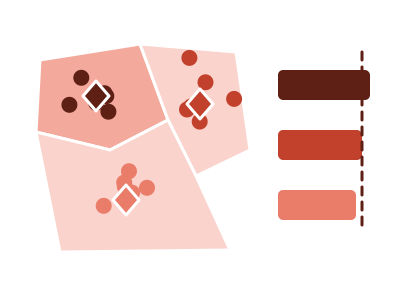
An illustration of the type, not a chart made from data.
What it does
Territory planner draws every account as a dot at its place on a map of North America, colored by its rep. It then builds a plan that reassigns accounts so every rep's workload sits within a band you pick: plus or minus 5, 10 or 20%. Accounts marked in a two-value column such as Locked or Keep With Rep stay with their rep, and the map rings them.
You switch between today's territories and the plan. Bars show each rep's workload. Three readouts give the busiest and lightest rep, the average straight-line distance, and how many accounts change rep. A list names the accounts that change. You can move an account to another rep by hand and watch the plan, the bars and the readouts update, and a reset undoes your moves.
The chart says the plan is balanced within the band you chose and that distances are straight-line. It doesn't claim the plan is optimal, and it doesn't estimate travel time. The plan is a balance, not a route.
When it fits
Use it when you have one row per account with its location, its current rep and a workload measure: accounts by sales owner with yearly visit hours, or stores by area manager. It's built for 2 to 12 reps with accounts in North America.
When it doesn't
It covers North America only. It balances workload by reassigning accounts and measures distance in straight lines, so it doesn't plan routes or drive times. It needs each account's current rep; a table with no owner column gives it nothing to rebalance.
The data it needs
One row per account with its location, its current rep and a workload measure - accounts by sales owner with yearly visit hours, stores by area manager - for 2 to 12 reps in North America.
Smallest size it draws at: 420 by 380 pixels.
How to ask for it
Pick Territory planner from the list of what fits your data, or describe it in your own words:
- “Rebalance my sales territories so every rep's workload is within 10%”
- “Build a territory plan that maps accounts by rep and shows which accounts would change owner”
Where it runs
- Power BI
- Add the RegiaBI Apps, Maps and Charts visual from AppSource to your report, bind one row per account with its location, its rep and a workload measure, and pick Territory planner from the list of what fits your data, or ask for it by name.
- AI agents
- Add the MCP server to your coding agent with npx -y @bicharts/chart-mcp. The agent asks which types fit your table, generates this one, and gets it as source code for your app.
Territory planner needs a license key, and a free 21-day trial gives you one that works. It isn't offered in free mode.
Try it
Start with your own data: the Power BI visual, the MCP server for AI agents. It lists the types that fit your data before it builds anything.
Questions people ask
What data does it need?
One row per account with its location, its current rep and a workload measure, for 2 to 12 reps in North America.
Can I keep some accounts with their current rep?
Yes. Add a two-value column such as Locked or Keep With Rep, and those accounts stay with their rep in the plan. You can also move any account by hand.
Does it plan routes or travel time?
No. Distances are straight-line and the plan balances workload within the band you pick. It isn't a route planner.
Do I need a license?
Yes. Territory planner needs a license key, and the key from the free trial works. It isn't offered in free mode.
Why does it say Preview?
It's available now and still being refined. A preview is built only when you pick it from the list or ask for it by name.