
Licensing Options for Individuals, Teams, and Enterprises
Your payment fuels more than just a download. It powers our support, drives new features, and secures a partner invested in your success.
Free Tier
Single-user in Power BI Desktop
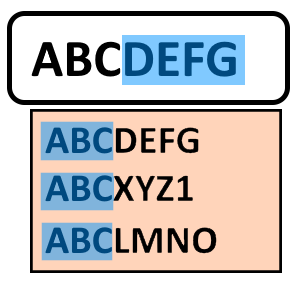
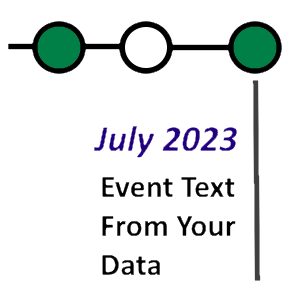
- Covers: Autocomplete, Time-line, Numberline, Animations, Circle Packing
AppSource Licensing
Pay per report viewer. Good for small-medium teams.
- Monthly or annual billing
- Per-visual pricing
- Covers: Autocomplete, Time-line, Numberline, Animations, Circle Packing
- No license keys needed
- Prices start from $0.49/month or $4.99/year
Organizational License
Pay one price for unlimited viewers.
- Get a free 21-day trial organizational key when you create a new account and confirm your email address
- Works in all environments
- Covers all visuals
- License keys applied in visual settings
- No named users
- Prices start from $39/month or $399/year
- Need a quote or a purchase order? Contact us — government and public-sector buyers welcome
How We Can Help...
Latest News...
Autocomplete 5.0 is available (download prerelease). Key features and changes are covered in release notes.
More About Organizational Licensing
You can choose how long your organizational license key will be good for. Longer terms offer discounts - and can require fewer report updates (as keys change).
Monthly and 1-year plans are subscriptions: they renew automatically until you cancel. 2- and 5-year terms are one payment and never renew.
Credits are only for AI Data Components: RegiaBI Apps, Maps and Charts for Power BI and for Excel. Each plan includes some, and a credit pack tops them up. How credits work.
Only using Autocomplete Filter, Time-line, Number-line, Text From Values or Auto-cluster? They never use credits, so choose a plan by term alone.
Organizational license purchase is launched from this web site, using Stripe. If your organization buys through a formal quote or a purchase order — common for government, public-sector and large enterprise buyers — we support that too: request a quote. Contact us directly with any other questions about licensing.
With RegiaBI Apps, Maps and Charts for Power BI, usage credits buy more than new charts — they can also buy permanent, license-free distribution. When you pin a chart you've created, the visual freezes that rendering and strips the license, keys, and account credentials out of the report. What's left carries no license at all.
A pinned chart renders watermark-free in any environment — Power BI Service, Desktop, embedded, even fully offline — with no account required, no viewer restrictions, and no further credits consumed. It's how you turn a favorite chart into something completely shareable, and it's why our own sample reports open and render for anyone. How pinning works.

Keyed Visual Option
Organizational license holders can request a keyed build of a visual: the license is compiled in, so reports keep working when your key renews and there is nothing to re-apply. It's included with your license at no charge.
What does this mean?
It means your entire organization can be using your favorite visuals for $39/month. Unlimited viewers, no named users, every visual we make — and with a keyed build, no license key to re-apply when it renews.
FREE for current license holders

Usage Credit Pack
Users of RegiaBI Apps, Maps and Charts or User Feedback Capture can consume usage credits. Usage credits are included when you purchase organizational licenses. If you run low on credits, it's possible to add to your credit balance by purchasing a credit pack.
Usage Credit Pack
60,000 credits
$149
- Only necessary if you've expended all usage credits and need more
- Equivalent to ~403 credits per dollar
- 60,000 credits could let you, for example:
- Generate ~60,000 new RegiaBI Apps, Maps and Charts visualizations using "Bring-Your-Own" (BYO) mode, where you supply your own API key for Anthropic, OpenAI, or Azure OpenAI — BYO charges a small flat operating fee per generation regardless of model.
- Generate hundreds of new RegiaBI Apps, Maps and Charts visualizations using our hosted models (through Microsoft Azure AI Foundry, OpenAI, and Anthropic) — the exact number depends on the model you choose and the size of your data. See credit details.
- Capture 60,000 "simple" feedback events with User Feedback Capture (ie. no data payload)