
Prerelease Guide
Why Have Pre-release Visuals?
When we release an update to our public visuals, it goes through a process that takes a surprisingly long time.
- Many of our visuals go to Microsoft for certification. This takes from days to two weeks.
- After certification, the update needs to propagate through AppSource, which can take from one to two weeks. (sometimes more!)
If we've got important bug fixes or features that we want to get to you faster, we can provide pre-release versions of our visuals. These are built from the same code as the public versions, but they have different "ids". This means they are not certified versions of the visuals, but they allow you to get the updates instantly.
How to Use Pre-release Visuals
When a pre-release version is available, we'll identify this on the download page for the visual, like seen here:
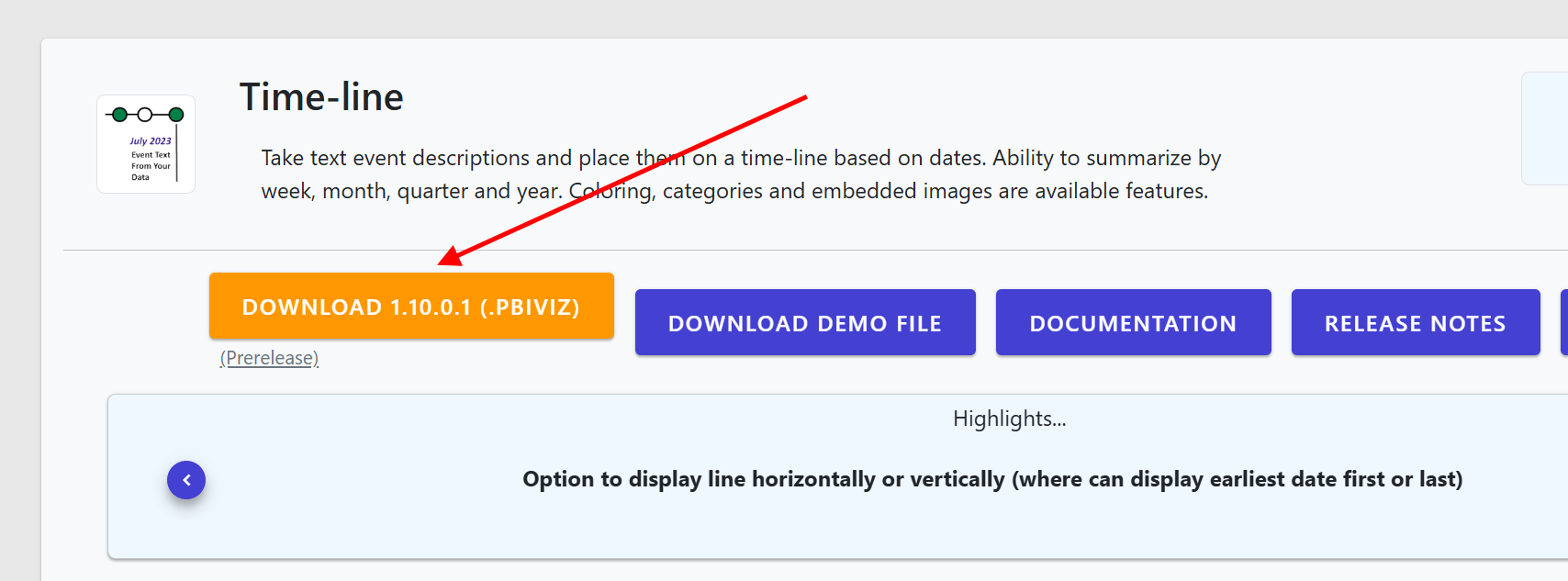
Clicking on the download button, you should get a pbiviz file that you can import into Power BI. You can do this by clicking on the "Import a visual from a file" option in the Visualizations pane:
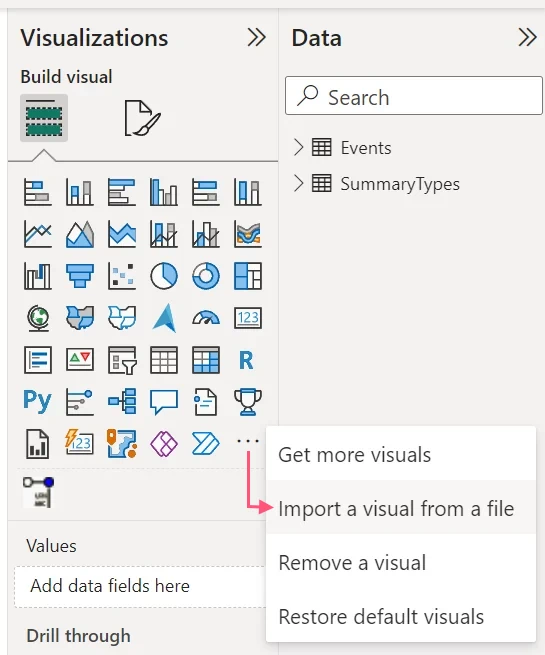
This will open a file dialog where you can select the pbiviz file you downloaded. After you select it, the visual will be imported into your list of available visuals. Because it has its own unique id, it can sit next to the public version of the visual. The pre-prelease version will have an icon that indicates Pre-release:
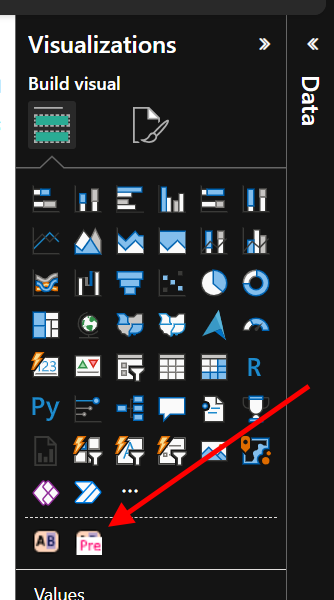
Important: You will need to switch the visuals in your report to the new pre-release version. This is because the pre-release version has a different id, so Power BI treats it as a different visual. You can do this by selecting the visual in your report, going to the "Visualizations" pane, and clicking on the visual with the "Pre" label.
Once you've switched to the pre-release version, you should see the new features and bug fixes after reloading your report page. After the public version is updated with the same changes, you can switch back to the public version if you prefer.
If you don't switch back, you won't receive automatic updates to the visual in the future, since the pre-release version is technically not published in AppSource. This is intended for important updates that you don't want to wait for, but it is not intended to be a long-term solution for using our visuals.
You can follow our release notes page to see when updates are being made to our visuals, or create an account to get email notifications for major updates.